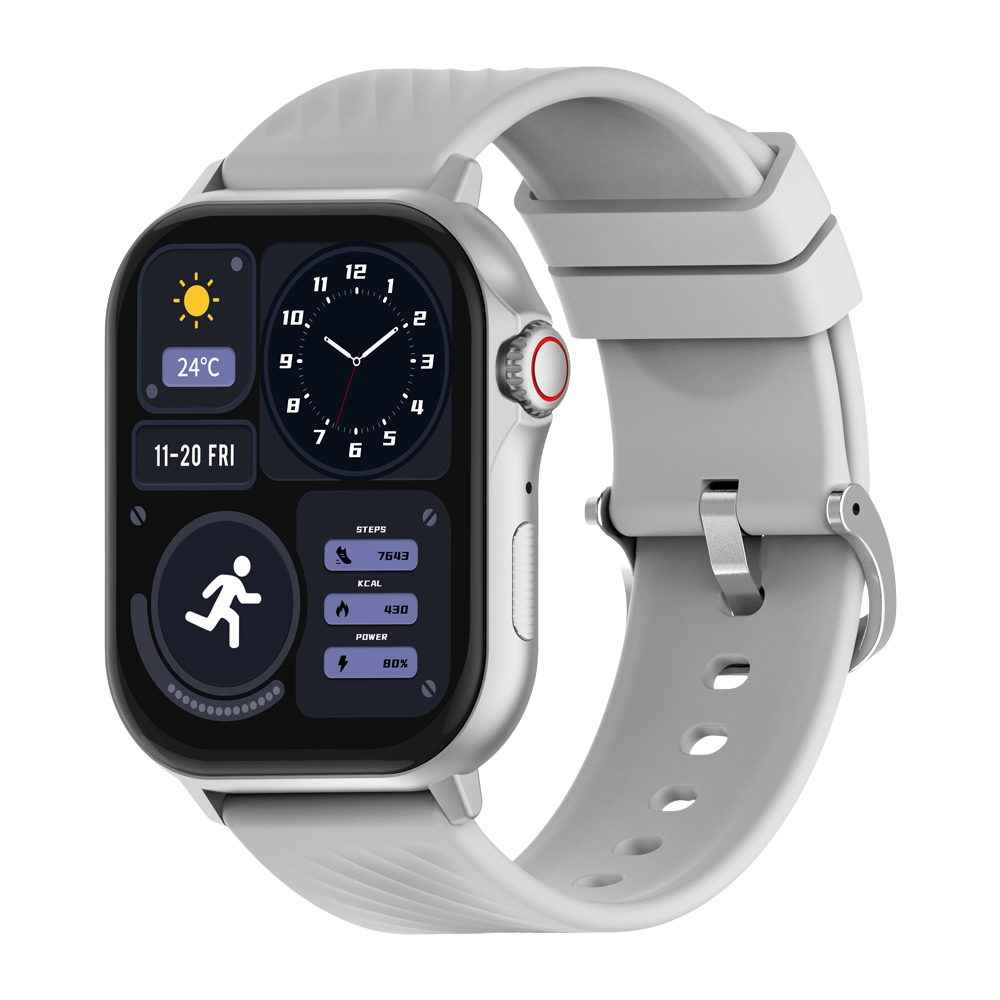
COLMI Smartwatches for People With Disabilities: Accessibility Features
COLMI watches and rings weren't designed as dedicated accessibility devices, and we want to be upfront about that rather than overselling what's on offer. That said, several features across the range can help people with different visual, hearing, mobility, and dexterity needs, and knowing which model suits which need can make a real difference. Here's an honest look at what's useful, and where the limits are.
Our Starting Point: Honesty Over Marketing
Before going further, it's worth being clear about what COLMI devices are not. None of the watches or rings have dedicated accessibility certifications, built-in screen readers, braille output, or adaptive interfaces built specifically for disabled users. Depending on the model, watches are set up with the COLMI Fit or Da Fit app, and the smart rings use the QRing app (the R11 uses Da Rings); the product page lists the app for each model. If you have a specific access need, we'd encourage checking product details closely, using the return window to test a device in practice, or emailing us at hello@colmi.store with your question before purchasing.
For Visual Impairment: Display and Alert Options
If you have low vision, larger, higher-contrast displays make a practical difference. AMOLED models such as the COLMI V72, V73, and P82 generally offer better contrast than IPS models like the P80 and C8 Max, since true blacks make text and icons easier to pick out. The COLMI i28 Ultra also has a 466×466 resolution display, the same resolution as the V72 and V73. Beyond the screen itself, COLMI watches support vibration alerts, so notifications don't rely on being seen at all.
What We Can't Promise for Visual Accessibility
COLMI devices don't include dedicated screen-reader software, voice output, or magnification tools in the watch interface. Whether your phone's own accessibility features (like TalkBack on Android or VoiceOver on iOS) work smoothly with the companion app varies, and it isn't something we can guarantee. If screen-reader compatibility is essential for you, we'd recommend testing it with your own phone during the return window.
For Hearing Impairment: Where Wearables Genuinely Help
This is an area where a smartwatch can offer a real, practical benefit. Because COLMI watches support vibration notifications, you can feel an incoming call, message, or alarm rather than relying on hearing it, which is useful whether you're deaf, hard of hearing, or simply in a loud environment. Pairing a watch with on-screen notification previews gives you a fuller picture of what's happening without needing to hear anything. Most COLMI smart rings have no screen and are designed mainly for health and activity tracking rather than notifications, so a watch is the better choice if alerts are your priority.
For Mobility and Dexterity: Watch vs Ring Considerations
This is individual, and we'd encourage thinking through your specific situation rather than assuming one form factor is universally easier. COLMI watches generally come with standard silicone straps (the P80 also has a stainless steel option), which need some fine motor control to fasten. If a buckle is difficult, a third-party strap with an easier clasp may help, provided it fits the watch's strap width. A ring avoids strap fastening altogether but requires sliding it onto a finger, which may be more or less manageable depending on your dexterity and grip strength. If fine motor control varies day to day, consider which action is more consistently manageable for you.
Touchscreen Interaction and Motor Control
COLMI watches rely mainly on touchscreen interaction, though many models also have a side button or crown for basic actions such as waking the screen or going back. If precise tapping is difficult for you, larger displays like the COLMI P82's 2.13-inch screen give more room for less precise taps to register. Button layouts differ between models, so if physical controls matter to you, check the product photos and details for the specific model, or ask us before buying.
For Cognitive Accessibility: Simplicity as a Feature
For some users, a simpler interface is itself an accessibility benefit. COLMI's watch interfaces and companion apps are generally more straightforward than a full smartwatch platform like Wear OS or Apple Watch, which include far more menus, settings, and third-party apps. If you or someone you're buying for finds complex technology overwhelming, the relatively limited, consistent interface may be easier to learn, even though this wasn't a deliberate accessibility design choice on COLMI's part.
Reminders for Daily Routines
COLMI watches support reminders such as movement (sedentary) alerts, and some models and apps offer others such as drinking water reminders. Some users with cognitive or memory-related access needs find these useful as a supplementary prompt alongside the support or reminder systems they already use. This isn't a replacement for dedicated assistive reminder technology or care support, but as an extra prompt on a device already being worn, it can add value for some people.
Comparison by Need
| Need | Suggested Feature | Model Examples |
|---|---|---|
| Low vision | AMOLED contrast, larger display | P82, V72, V73 |
| Hearing impairment | Vibration notifications | COLMI smartwatches |
| Limited dexterity (strap) | Easy-fastening strap (check strap width) | Most COLMI watches |
| Limited dexterity (touch) | Larger touch target display | P82 |
| Prefers no strap fastening | Ring form factor | R02–R12 range |
Wrist vs Finger: A Note for Limited Wrist Mobility
If wrist movement or positioning is limited or painful, a smart ring may be more practical than a watch, since it doesn't require the same wrist rotation or strap handling. This isn't a universal recommendation, as some people find rings harder to manage depending on hand shape and grip, but it's worth considering if wrist-related limitations are your main concern.
Buying for Someone Else With Specific Access Needs
If you're buying a COLMI device for a family member or someone you support, we'd recommend involving them in the decision where possible, since needs and preferences vary enormously between individuals, even with similar conditions. A device that looks accessible on paper may not suit their particular situation in practice.
Occupational Therapy and Professional Input
For significant or complex access needs, an occupational therapist or assistive technology specialist is better placed than a general product guide to recommend a solution tailored to your situation, potentially including devices designed specifically for accessibility. COLMI wearables are wellness devices, not medical or assistive devices, so we'd encourage that route if your needs go beyond what a mainstream device can reasonably support. If you have health concerns, speak to your GP.
Returns and Trying Before Committing
Given how individual accessibility needs are, we'd encourage using your return window to test whether a specific COLMI model works for you in daily use, rather than relying on spec sheets alone. If something doesn't work as you'd hoped, please get in touch at hello@colmi.store. We'd rather help you find the right fit or process a return than have you stuck with a device that isn't serving you well.
Colour Blindness and Watch Face Design
The companion apps offer a wide range of watch faces, and while none are specifically labelled as colour-blind friendly, the variety means it's usually possible to find one that relies on shape, position, and contrast rather than colour alone. If colour vision is a concern, we'd suggest browsing the watch face gallery after setup and choosing one built around clear numbers and icons rather than colour-coded elements.
Arthritis and Joint-Related Conditions
For users with arthritis affecting the hands or fingers, both watches and rings involve trade-offs. A well-fitted ring shouldn't need ongoing grip strength once worn, which some people with joint pain prefer to repeatedly fastening a watch strap (for charging, showering, or taking it off at night). On the other hand, removing and replacing a ring can be more demanding on affected joints than unfastening a strap, depending on which joints are affected and how they feel on a given day.
Chronic Fatigue and Energy-Limiting Conditions
For those managing fluctuating energy levels, battery life becomes a relevant accessibility consideration, since remembering to charge a device is one more task on a difficult day. Battery life varies a lot between models and with how you use the device (for example, always-on display and frequent notifications drain it faster). As examples from the manufacturer's specs, the COLMI P80 is rated at around 5–7 days of typical use and the P81 at around 3–5 days. Check the "using time" listed on each product page and favour a model with a longer rating if fewer charges would help you.
Skin Sensitivity and Material Considerations
If you have sensitive skin, it's worth knowing that COLMI's standard watch straps are silicone, with the COLMI P80 also offering a stainless steel option. Neither is marketed as hypoallergenic, so if you have known sensitivities, check the material details carefully or test for a short period within your return window before committing to extended daily wear. If irritation persists, stop wearing the device and speak to a pharmacist or GP.
Setting Up a Device for Someone You Support
If you're setting up a COLMI device on behalf of someone you care for, the initial app setup (permissions, notification preferences, and watch face selection) is worth doing with their input where possible, even if you handle the pairing steps. Getting notifications, vibration, and display brightness right at setup, based on the person's own preferences, makes a real difference to whether the device gets used day to day.
Frequently Asked Questions
Do any COLMI watches support screen readers?
Not within the watch interface itself. Whether your phone's built-in screen reader works smoothly with the companion app varies, and isn't something we can guarantee.
Is a smart ring or a smartwatch easier for someone with limited hand dexterity?
It depends on the specific limitation. A ring avoids strap fastening altogether, while a watch avoids sliding something onto a finger. Testing both in practice is the most reliable way to know which suits you.
Can I get vibration-only alerts with no sound at all?
COLMI smartwatches alert you by vibration, and notification settings are managed in the watch's companion app (COLMI Fit or Da Fit, depending on the model). Most COLMI smart rings have no screen and don't relay phone notifications, so choose a watch if alerts are important to you.
Do COLMI products have any official accessibility certification?
No. COLMI devices are general consumer wearables without formal accessibility certification. If you need a certified assistive device, an occupational therapist or specialist retailer would be better placed to recommend an option.
What should I do if a device doesn't suit my specific access needs after purchase?
Please contact us at hello@colmi.store. We'd rather help you find a better-suited option or process a return than leave you with a device that isn't working for you.
Are COLMI straps hypoallergenic?
They aren't marketed or certified as hypoallergenic. If you have known material sensitivities, check the strap material carefully and test for a short period within your return window before committing to daily wear.